


Every anatomical structure modeled has related anatomical text articles. This text appears in the text box when a structure is selected either from the Contents or by clicking on the 3D Model. In addition, text will appear for an anatomical structure if it is highlighted on a MRI slice within the MRI window.
There may also be other notes, for example, Surgery, Biomechanics and Radiology notes. See the Topics section.
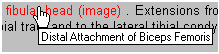
Within the text are a number of red words. These hot-spots link to a wide range of slide and video material or text articles. When the cursor is positioned over one of the text hot-spots, it changes to a pointing hand. A tool tip is displayed describing the linked resource. Click the link to view the linked resource. If the resource is an image resource, it will be displayed in its own window. Text resources link to other parts of the program where they can be displayed.